Block Tower Updates & Beta Status
Still in beta — dated public notes, how to notice Roblox bumps, and which guides to re-open after changes.
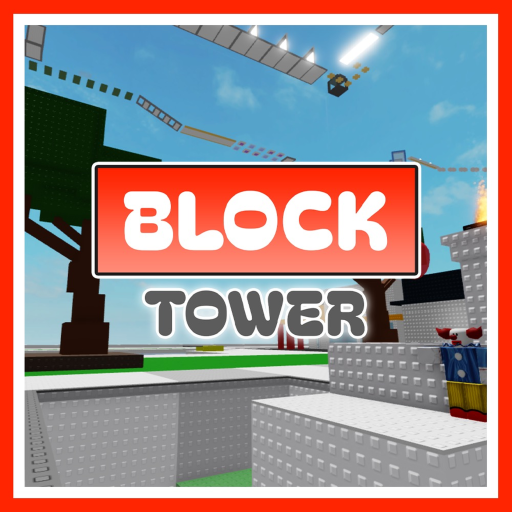
Block Tower 🏠 by fahrezaoz launched on 19 March 2025 and still carries an explicit beta label in its Roblox description. That matters for anyone following patches: the experience can change platforms, polish, or presentation without a traditional “version 1.0” marketing beat. This Updates Hub explains the public status, dated notes we can stand behind, how to track bumps on the Roblox page, and which wiki pages to revisit after a change.
This is not a full private changelog from the developer. We only log player-facing public signals — no invented patch essays.
Current status snapshot
| Fact | Detail |
|---|---|
| Release date | 19 March 2025 |
| Label | Still beta |
| Genre | Obby & Platformer / Tower Obby |
| Platforms | Roblox on PC, mobile, console |
| Co-op | Online multiplayer servers (solo-friendly climb) |
| Max players | 40 |
| Place ID | 92856447778116 |
| Universe ID | 7400436993 |
| Last wiki refresh | November 2026 public bump window noted below |
Visit counts sit in the 100M+ range with a large favorites base, which is unusual for a place that still says “still beta” — treat beta as “actively iterable,” not “unreleased.”
Dated public notes (changelog-style)
2026-11-17 — Public update bumps on BT1 / BT2 / BT3
Roblox listing activity around 17 November 2026 showed public update bumps across the Block Tower, Block Tower 2, and Block Tower 3 universes. Exact studio patch notes were not published as a Steam-style essay. Player action: retest lower floors, mid precision, and finish volumes on each place you care about before a marathon clear.
Series place IDs and transfer tips: Block Tower 2 & 3. House layout refresher: Floors & Layout.
2026-09 to 2026-10 — Dundun & Lemon Day backpack / quest window
A Dundun & Lemon themed backpack / quest window ran in the September–October 2026 period with cross-tower progress involving the series. Related Item Hunter style marks sat at very low award counts while active. When the window closes, treat those awards as limited — this hub will not invent redeem codes to reopen them (Codes, Badges).
2025-07 — The Hatch egg event
Around July 2025, The Hatch featured a Block Tower egg with public awards on the order of ~146K. Historical only if the live badge list no longer offers it. Context and fair warnings: Badges.
Rename note — Brook Tower → Block Tower
Community and older references sometimes say Brook Tower. The live experience players should join is Block Tower by fahrezaoz (place 92856447778116). Older similarly named places can be unavailable or unrelated — always verify the creator profile and place ID on Official Links before grinding.
How to track updates on Roblox
- Open the official experience: Block Tower on Roblox.
- Check the Updated timestamp on the game page / about details.
- Skim the description for new tags, warnings, or feature lines.
- Follow fahrezaoz’s profile for sibling places and announcements.
- After any bump, do a short climb test on lower floors before attempting a full clear.
Optional: favorite the place and enable experience notifications if you use them, so major republishes are harder to miss.
What to re-check after a bump
Use this checklist whenever the Roblox Updated date moves:
- Spawn and lobby flow — does joining still match Getting Started?
- Controls feel — camera sensitivity unchanged? (Controls, Mobile Tips)
- Zone / helper props — pool balloon or mid-room lines moved? (Floors & Layout)
- Hazard placements — kill bricks moved? (Tier List S-tier sections)
- Clear route — any new blockers before the roof? (How to Complete)
- Badges — new awards or renamed Welcome / You Win / Owner badges? (Badges)
- Sequels — did only BT2 or BT3 bump? (Series)
- Codes — description suddenly mention redeem codes? (Codes)
- Scripts chatter — new fake “patched bypass” ads? Stay safe via Scripts
Beta expectations for climbers
Playing a beta tower with 100M+ visits means you get a polished loop (join → climb → fail → retry → maybe badge) while still accepting that the creator may reshape floors. Practical advice:
- Do not memorize only one pixel-perfect cheese if a cleaner intended line exists.
- Keep fundamentals from Climbing Tips stronger than any single shortcut.
- When something “feels wrong,” confirm you are in Block Tower by fahrezaoz — not a copycat place with a similar thumbnail.
Series update awareness
| Place | Why track it |
|---|---|
| Block Tower 🏠 | Primary climb covered by this wiki |
| Block Tower 2 🏫 | School theme; separate update clock |
| Block Tower 3 🏥 | Hospital theme; badge set parallels |
Community and creator context: Players Hub. Link pack: Official Links. Deep sequel guide: Block Tower 2 & 3.
How this hub will grow
Future entries stay factual dated bullets (what changed for players, what we verified, which guide to open). No filler “balance nerfed meta heroes” language — this is a parkour tower, not a fighter roster. Until the next confirmed note, watch the Roblox timestamp, retest S-tier sections, and keep climbing without waiting on rumor changelogs.
Frequently Asked Questions
Quick answers about climbing Block Tower.
Is Block Tower still in beta?
Yes. The official description still states the game is in beta even after a 2025 launch and very high visit counts.
What happened on 2026-11-17?
Public Roblox listing bumps were visible across Block Tower, Block Tower 2, and Block Tower 3. Retest climbs; detailed studio notes were not published here.
What was the Dundun & Lemon window?
A Sep–Oct 2026 backpack/quest-style event with cross-tower progress. Limited marks — not a permanent codes drop.
Is Brook Tower the same game?
Older “Brook Tower” references point at the same series fantasy; join the live Block Tower place by fahrezaoz and verify the place ID on the Links hub.
Where do I see the latest update time?
On the official Roblox experience page for Block Tower — check the Updated field and description changes.
What should I do after an update before a full clear?
Retest lower floors, kill-brick sections, and wraparounds, then follow How to Complete with fresh eyes — and skim Floors & Layout if helpers moved.